

How to unlock all inventory Slots in Flyff Universe?
To unlock all 120 inventory Slots in Flyff Universe you have to finish a lot of quests (+43 slots), have to reach new levels (+29 slots), and for a limited time, you get extra inventory Slots via a Cash Shop item (2x 24 slots).
Update: Since Nov 28th 2024 13 new quest slots and 5 new level slots.
All quests on this page are linked to their quest page where you can see the requirements and locations.
Table of Contents
Permanent: Inventory slots unlocked by quests (+43 slots)
| Min. level | Quest name | Unlocked slots |
|---|---|---|
|
3 |
1 |
|
|
5 |
1 |
|
|
15 |
2 |
|
|
20 |
3 |
|
|
20 |
1 |
|
|
22 |
1 |
|
|
24 |
1 |
|
|
26 |
1 |
|
|
26 |
3 |
|
|
26 |
3 |
|
|
28 |
1 |
|
|
29 |
3 |
|
|
30 |
1 |
|
|
34 |
1 |
|
|
35 |
1 |
|
|
44 |
1 |
|
|
49 |
1 |
|
|
49 |
1 |
|
|
60 |
5 |
|
|
66 |
1 |
|
|
70 |
2 |
|
|
85 |
1 |
|
|
85 |
1 |
|
|
85 |
1 |
|
|
85 |
1 |
|
|
85 |
1 |
|
|
105 |
3 |
Since Nov 28th 2024
Permanent: Inventory slots unlocked by quests (+13 slots)
| Min. level | Quest name | Unlocked slots |
|---|---|---|
|
|
Quests pre Battle for Madrigal Part 2 |
|
|
25 |
1 |
|
|
55 |
1 |
|
|
85 |
1 |
|
|
100 |
1 |
|
|
105 |
1 |
|
|
119 |
1 |
|
|
130 |
1 |
|
|
135 |
1 |
|
|
153 |
1 |
|
|
155 |
1 |
|
|
|
Quests since Battle for Madrigal Part 2 |
|
|
160 |
3 |
Permanent: Inventory slots unlocked by reached level (+29 slots)
These slots need to be claimed in your achievement window (key´- R´) – General – Level.
| Reached level | Unlocked slots |
|---|---|
|
40 |
1 |
|
50 |
1 |
|
70 |
2 |
|
80 |
3 |
|
90 |
3 |
|
100 |
3 |
|
110 |
4 |
|
120 |
12 |
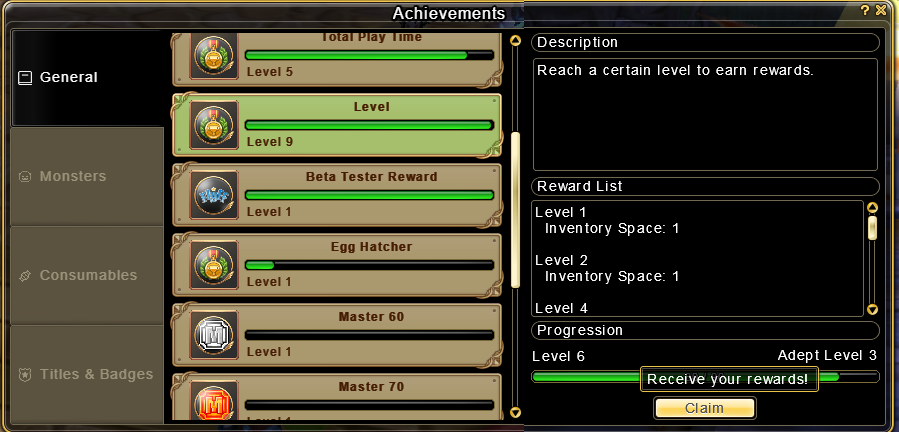
Since Nov 28th 2024 Permanent: Inventory slots unlocked by reached level (+5 slots)
These slots need to be claimed in your achievement window (key´- R´) – General – Level.
| Reached level | Unlocked slots |
|---|---|
|
140 |
1 |
|
160 |
1 |
|
165 |
3 |
Limited time: Inventory slots unlocked by Cash Shop item (2x 24 slots)
The Cash Shop item ‘Extra Bag’ unlocks you 24 inventory slots for a limited time. Extra Bag (30 days) costs 300 f-coins. You can use 2 Extra Bags at the same time so it’s 48 inventory slots in total.
Locking at the locks in-game
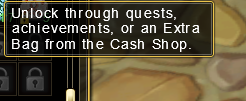
Tip: By hovering in-game over a lock, you see the categories for that specific lock.